Global Shutter. Every Frame Sharp. Built for the Line.
Area Scan Cameras for Every Inspection Line
Industrial area scan cameras for electronics inspection, packaging and pharmaceutical lines, robot guidance cells, and logistics tunnels. Freeze every part in one sharp frame, with the sensor, interface and lens matched to your line speed.
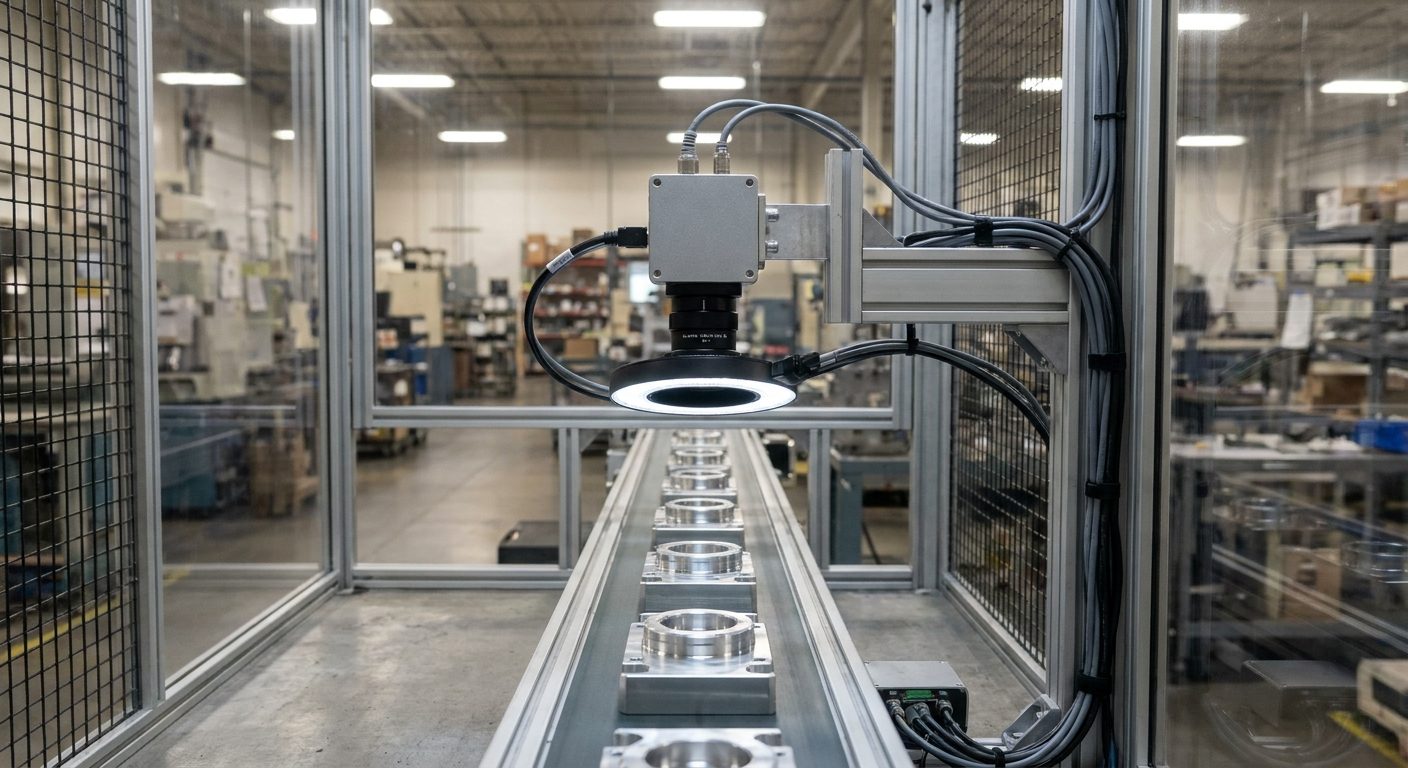
How area scan cameras work
One exposure, one complete image
An area scan camera captures a full two-dimensional image in a single exposure. Its sensor is a rectangular grid of pixels, so every frame is a complete picture of the part, package or scene in front of the lens, ready for inspection, measurement, code reading or robot guidance.
That makes area scan the default machine vision camera: it handles stationary, indexed and moving objects, and it is simpler to set up than a line scan camera, which builds its image one line at a time from continuous motion.
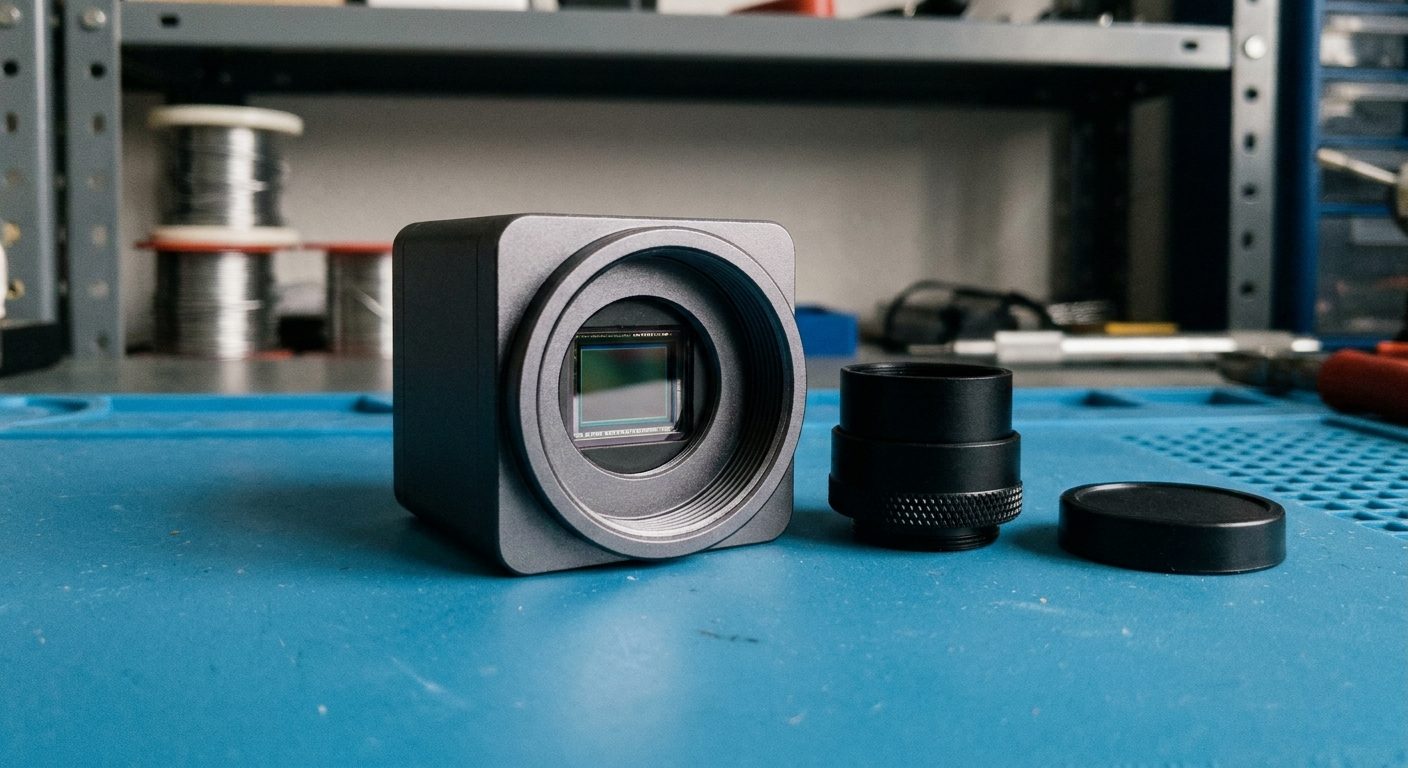
Part 1
The sensor
A rectangular grid of light-sensitive pixels, today almost always CMOS. Its resolution, pixel size, shutter type and speed set what the camera can see and how fast.
Part 2
The optics
A lens on a standard mount focuses the scene onto the sensor. Focal length and working distance set the field of view; the lens must also cover the sensor and resolve its pixels.
Part 3
The interface
The connection that carries images to a PC, controller or frame grabber, and usually power, trigger and I/O as well. It sets the data rate and how far the camera can sit from the host.
Area scan vs line scan
Which camera type fits the job
Both are machine vision cameras. The difference is how the image is built, and that decides which kinds of objects and motion each one handles well.
| Area scan camera | Line scan camera | |
|---|---|---|
| How the image is formed | The whole two-dimensional frame in one exposure | One line at a time, stitched as the object moves past |
| Best suited to | Discrete parts, packages, boards, indexed or stationary objects | Continuous material (web, film, paper, metal strip), very long parts, rotating cylinders |
| Motion | Works with stopped, indexed or moving parts when exposure is short enough | Needs steady motion, usually synchronized to an encoder |
| Lighting | Ring, dome, back, bar and coaxial lights over an area | Intense, uniform line lights focused on a narrow strip |
| Setup and alignment | Simpler: point, focus, trigger | More involved: line alignment, encoder setup, aspect ratio tuning |
Sensors and shutters
What the sensor decides
Nearly all current area scan cameras use CMOS sensors. Beyond resolution, the shutter type, pixel size, frame rate and spectral range shape what the camera can capture on a real line.
Global shutter
Every pixel starts and stops its exposure at the same moment, so parts moving on a conveyor or picked by a robot are captured without skew. The default for most inline inspection.
Rolling shutter
Rows are exposed one after another. Fine for stationary scenes, microscopy and slow motion, and often lower in cost and noise; with fast motion, strobe the light inside a short window.
Resolution and pixel size
More pixels resolve finer detail across a wider field of view. Larger pixels gather more light and usually give better dynamic range; smaller pixels pack more resolution into a smaller sensor and lens.
Frame rate
How many full frames per second the sensor and interface can deliver. Reading out a smaller region of interest usually raises it, which helps when only part of the frame matters.
Monochrome or color
Monochrome sensors collect more light and resolve finer detail. Color sensors, usually with a Bayer filter, are the right choice when the inspection depends on color.
NIR and SWIR
Some silicon sensors are tuned for better near-infrared response. Short-wave infrared cameras use a different sensor material and can see moisture, fill levels and material differences invisible in visible light.
Camera interfaces
GigE Vision, USB3 Vision, CoaXPress and Camera Link
The interface carries images from the camera to the PC, controller or frame grabber. Choose it from the data rate your resolution and frame rate produce, the cable distance, and whether you want a frame grabber. The link rates below are the nominal rates of each standard; check the camera datasheet for the sustained throughput of a specific model.
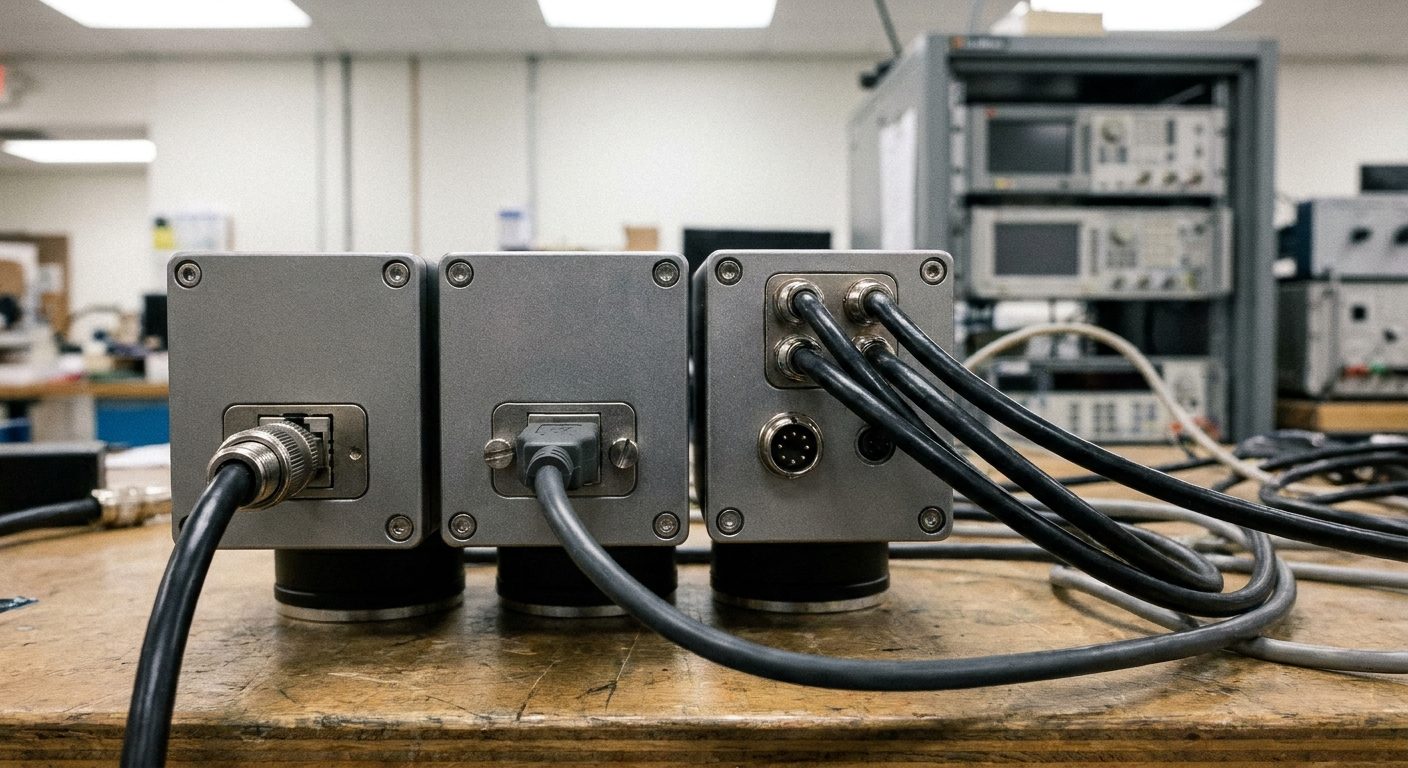
| Interface | Link | Cable | Host side | Typical fit |
|---|---|---|---|---|
| GigE Vision | Gigabit Ethernet (1 Gbit/s link) | Up to 100 m on standard copper Ethernet | Standard network card; Power over Ethernet possible | Multi-camera systems, long cable runs, moderate data rates |
| 5GigE / 10GigE | 5 or 10 Gbit/s Ethernet | Long runs on suitable Ethernet cable or fiber | Multi-gigabit network card | Higher resolution or frame rate while keeping Ethernet cabling |
| USB3 Vision | USB 3 (5 Gbit/s signaling) | A few meters passive; longer with active or optical cables | USB 3 port, no frame grabber | Single-camera stations, benchtop and lab systems, simple integration |
| CoaXPress | 6.25 or 12.5 Gbit/s per coax link, links can be combined | Tens of meters, depending on speed and cable | CoaXPress frame grabber; power over the coax | High-resolution, high-speed cameras with deterministic triggering |
| Camera Link | Base, medium and full configurations | Short runs, typically up to about 10 m | Camera Link frame grabber | Established systems and replacements on existing machines |
GigE Vision, USB3 Vision and CoaXPress cameras built on the GenICam standard describe their features in a common way, so compliant software can control cameras from different suppliers without custom drivers.
Lenses and mounts
The optics in front of the sensor
A sharp sensor behind the wrong lens still makes a soft image. The mount sets which lenses fit, and the lens sets the field of view, working distance and how much detail actually reaches the pixels.
- Match the lens image circle to the sensor format, or the corners of the image go dark.
- Pick focal length from working distance and the field of view you need to cover.
- Choose a lens rated for the pixel size, so it can resolve the detail the sensor can record.
- Use telecentric lenses for gauging, where a part's apparent size must not change with distance.
- Fix focus and iris with locking screws so vibration on the line cannot shift them.
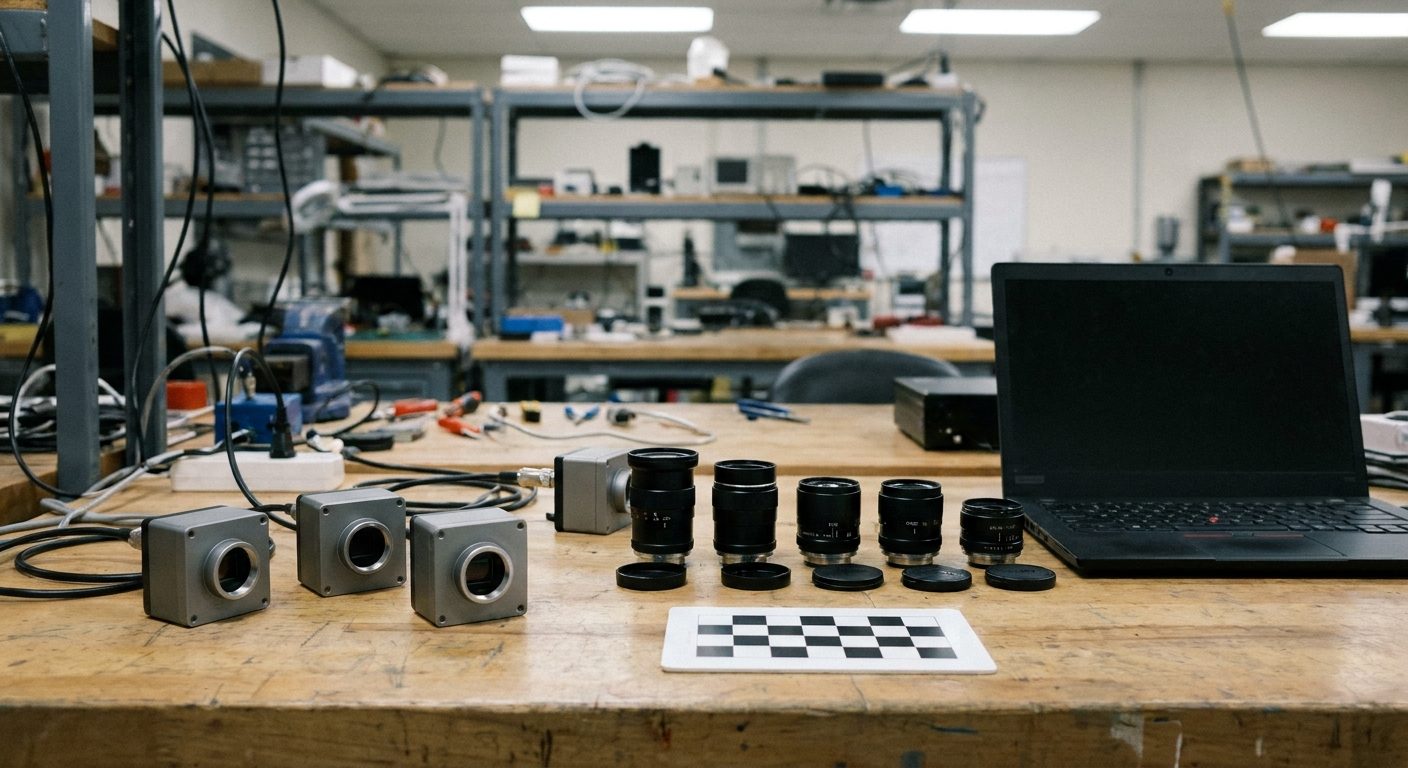
C-mount
The standard thread on most compact area scan cameras, with a wide choice of fixed focal length, zoom and macro lenses.
CS-mount
The same thread with a shorter flange distance. A C-mount lens fits a CS-mount camera with a spacer ring, not the other way round.
F-mount and M42
Larger mounts for big sensors and high-resolution cameras, where a C-mount lens would not cover the sensor without dark corners.
S-mount (M12)
Small threaded lenses for board-level and embedded cameras, where size and cost matter more than the last bit of image quality.
Triggering, exposure and lighting
- A photo eye or encoder sends a hardware trigger so each frame is taken at the same point on every part.
- Exposure time sets motion blur: blur in pixels is roughly part speed times exposure, divided by the size of one pixel on the part.
- Strobing the light in sync with the exposure puts more light into a short window and freezes fast motion.
- Digital outputs on the camera can fire the light, signal a reject gate, or hand off to the next station.
Applications
Where area scan cameras work
Any task where the object can be seen in one frame is a candidate. These are the lines and cells where area scan cameras do most of their work.
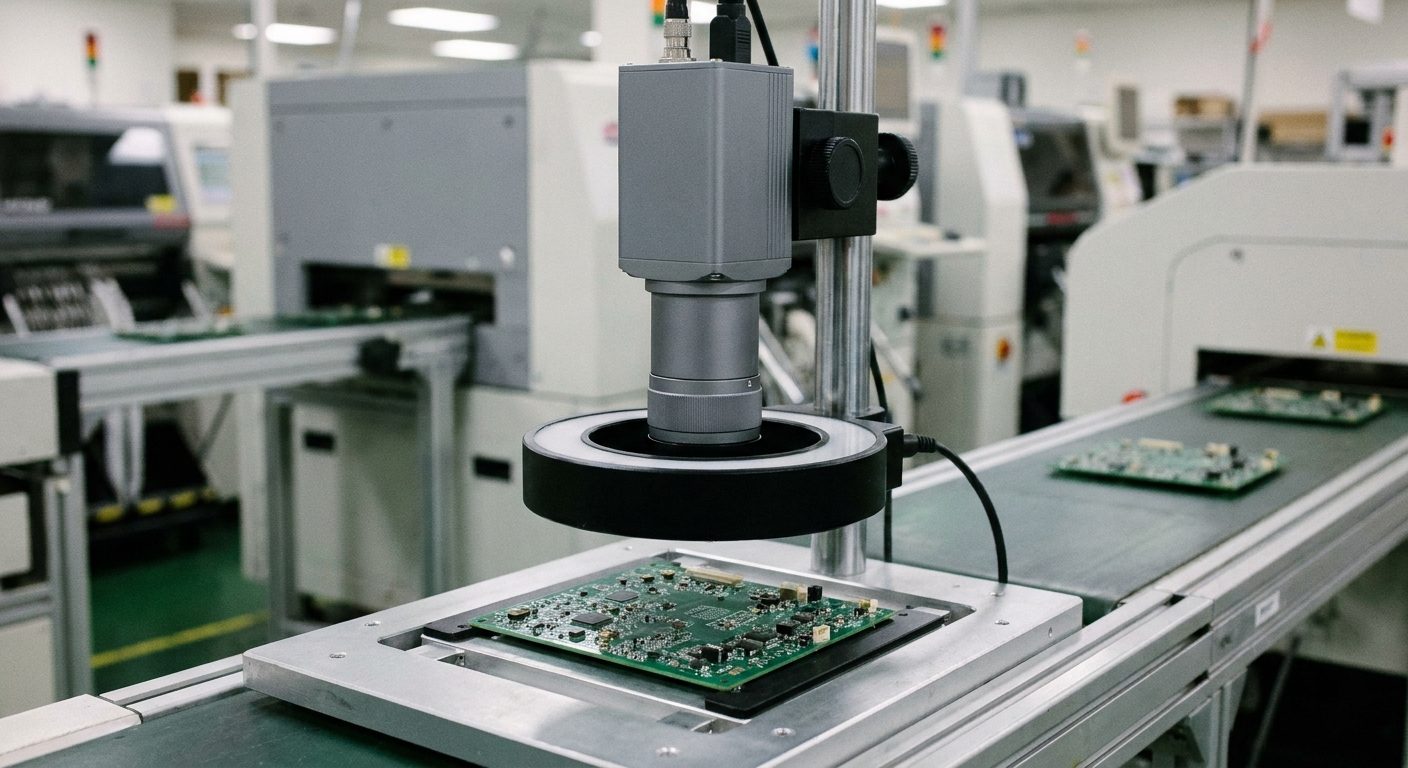
Electronics and PCB inspection
Checking solder joints, component presence and polarity, connector pins and markings on boards and assemblies. High resolution, fine pixels and careful lighting are the usual priorities.
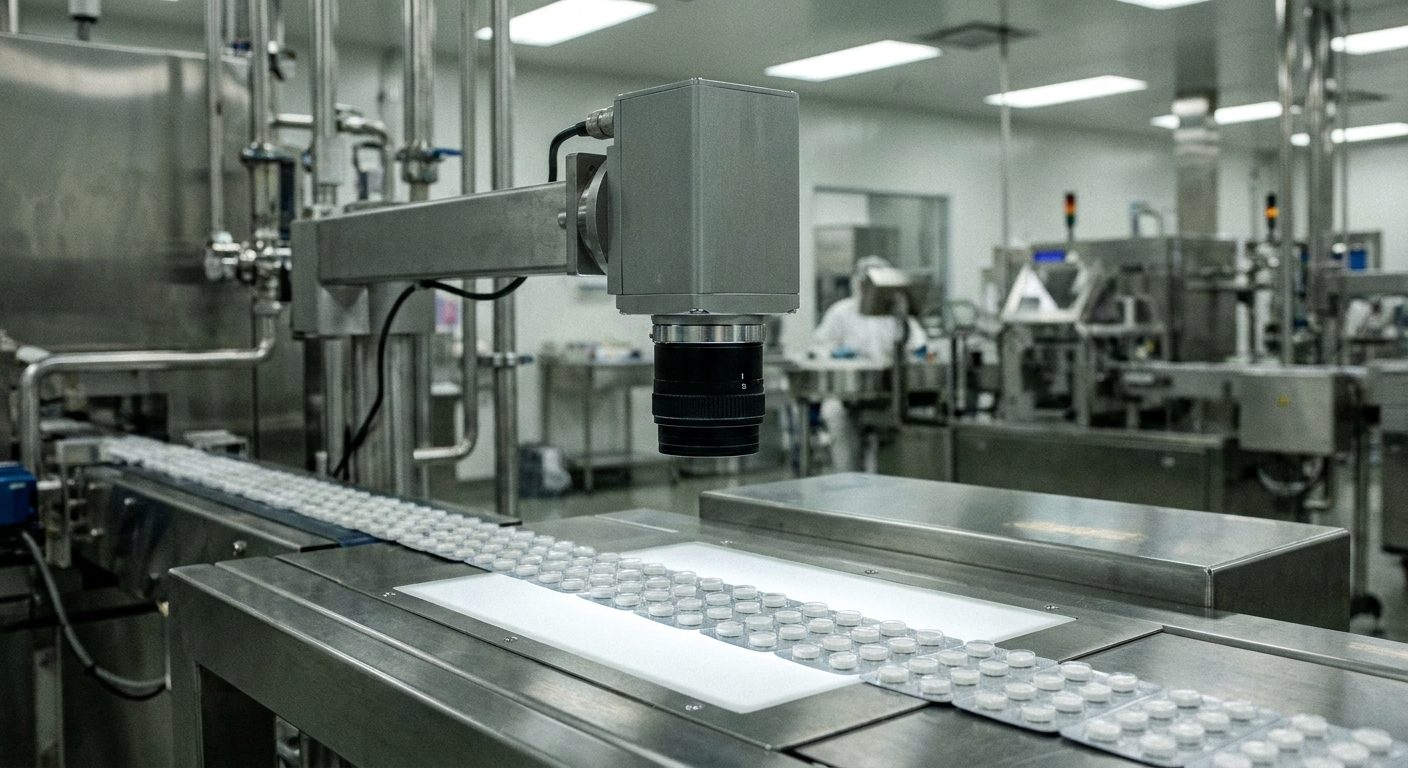
Packaging and pharmaceutical lines
Verifying fill, seal, cap and label, reading lot and date codes, and checking blister packs and vials at line speed. Global shutter sensors and triggered strobes keep every package sharp.
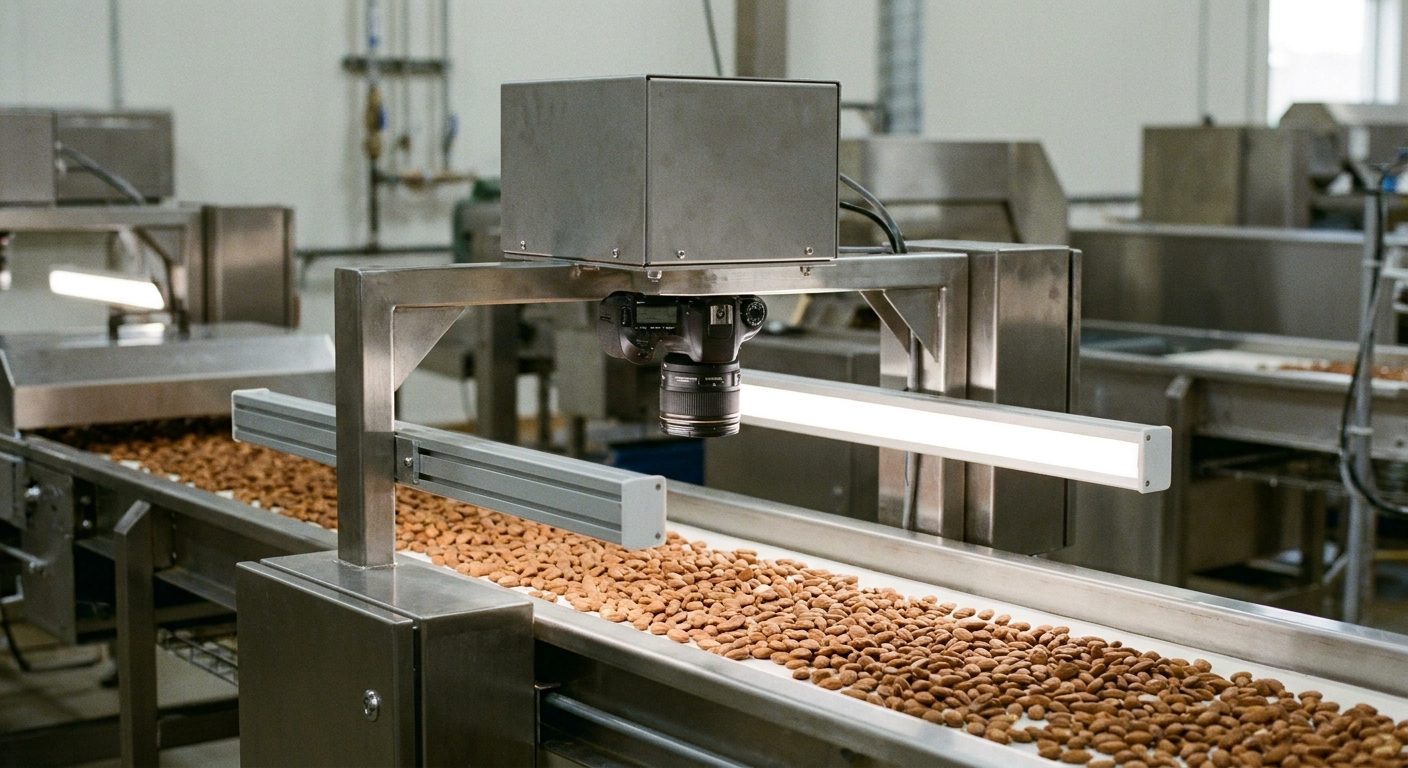
Food sorting and grading
Spotting foreign material, color defects and size differences in nuts, produce, grains and baked goods. Color cameras, and NIR or SWIR for what the eye cannot see, in washdown-rated housings.
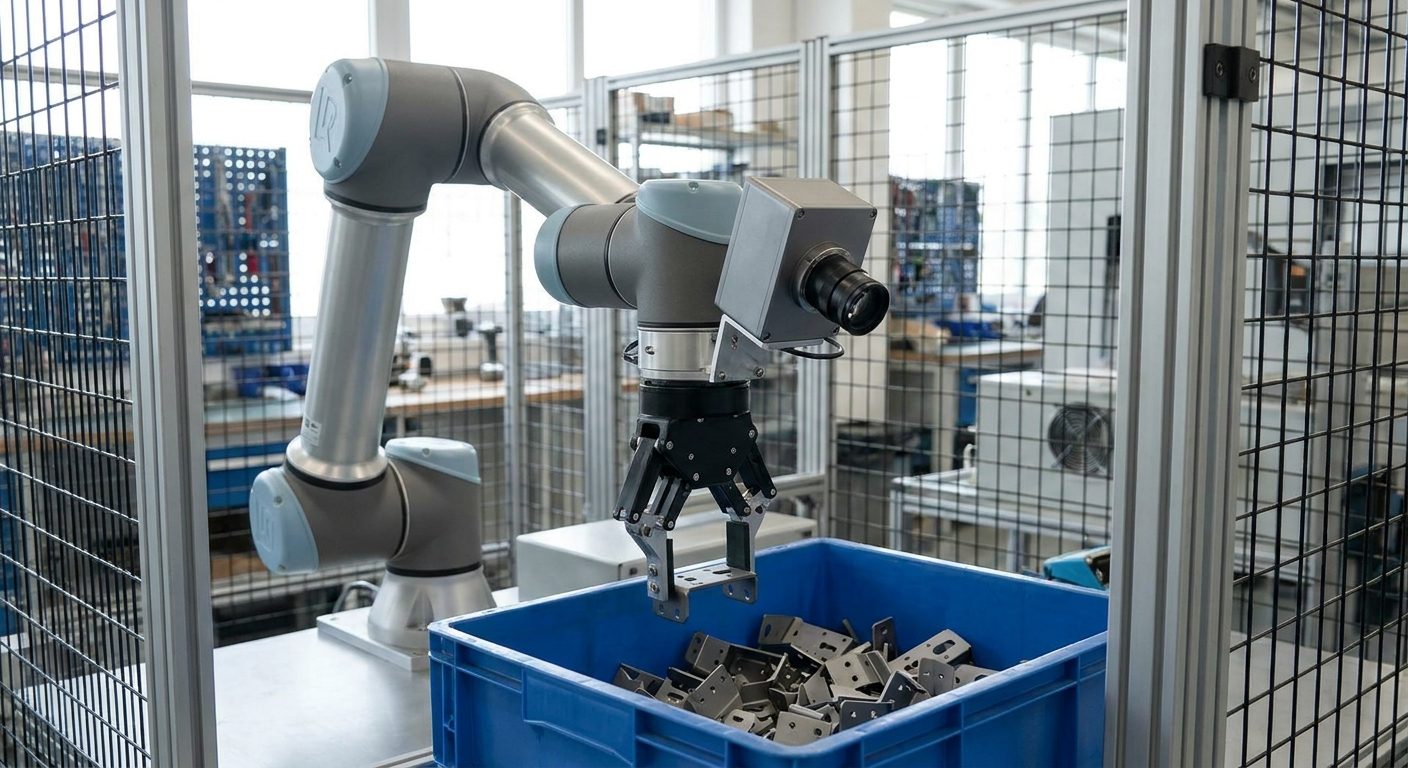
Robot guidance and bin picking
Locating parts on conveyors, trays and in bins so a robot can pick and place them. Compact, lightweight cameras ride on the robot arm or look down on the work area from a fixed mount.
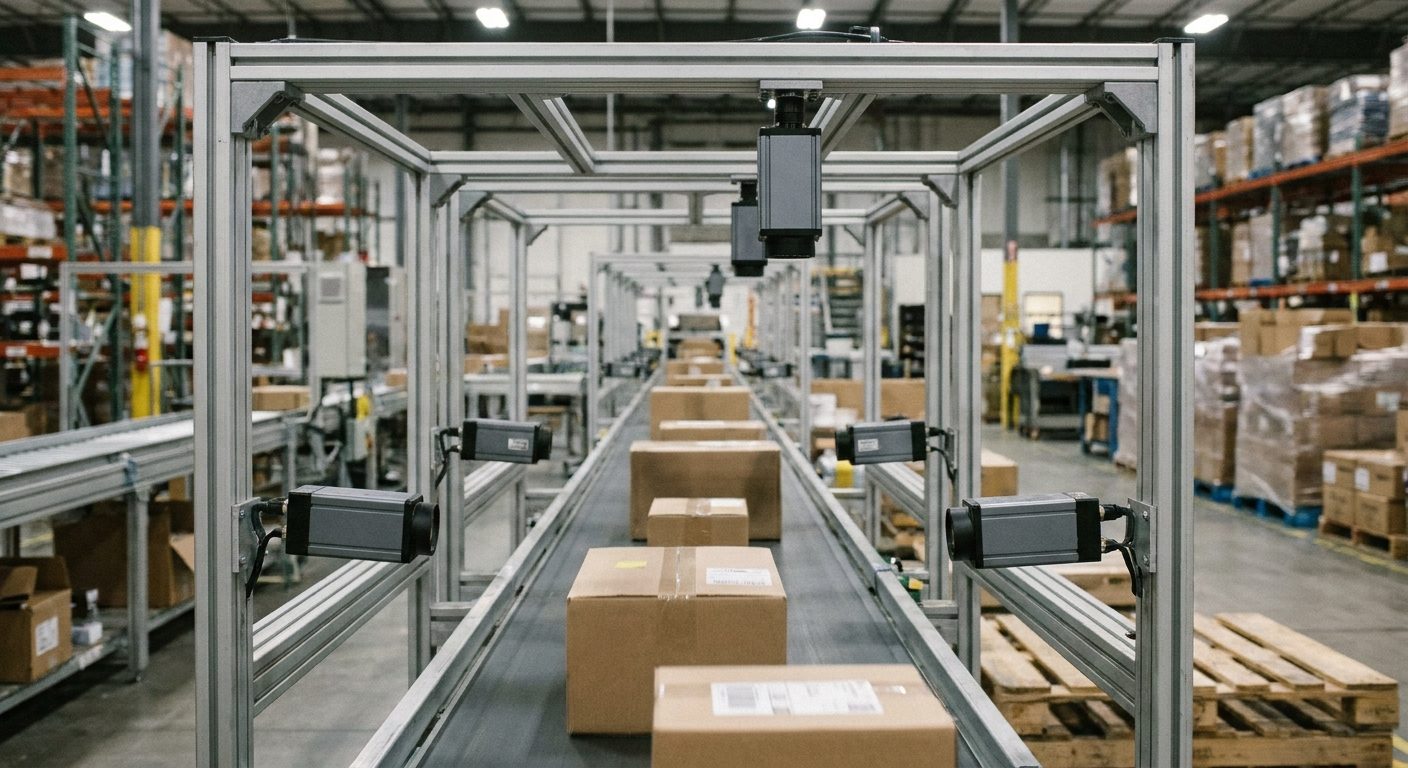
Logistics and code reading
Reading barcodes and labels, measuring and checking packages in sortation tunnels and at pick stations. Several cameras cover the faces of each parcel as it passes.
Automotive and metal parts
Presence and assembly checks, gap and flush, surface defects on machined and stamped parts, and reading direct part marks.
Medical, lab and life science
Microscopy, cell imaging, lab automation and instrument cameras where low noise and accurate color matter.
Traffic and outdoor imaging
Intelligent transportation systems, tolling and plate reading, where cameras need wide dynamic range and robust housings.
How to specify
Seven steps to the right area scan camera
Start from the part and the line, not from a camera catalog. The answers to these steps are also what a supplier needs to quote the right camera, lens and lighting.
A worked example
A 100 mm wide field of view must catch a 0.2 mm defect. At 3 pixels across the defect, that is 100 / 0.2 x 3 = 1,500 pixels across the field, so a sensor about 2,000 pixels wide leaves some margin. Each pixel then covers about 0.05 mm of the part, and if the part moves at 200 mm per second, an exposure of 100 microseconds lets it travel 0.02 mm, less than half a pixel.
- 1Define the field of view and the smallest featureMeasure the area the camera must cover and the smallest defect or detail it must find. These two numbers drive almost every other choice.
- 2Work out the resolutionDivide the field of view by the smallest feature and multiply by the pixels you want across it: a common starting point is about 2 to 3 for detection and more for measurement.
- 3Set exposure and frame rate from the line speedKeep motion during the exposure to a fraction of a pixel, and make sure the frame rate keeps up with parts per minute plus processing time.
- 4Choose the interface and cableMultiply resolution, bit depth and frame rate to get the data rate, then pick an interface that carries it over the cable distance you need.
- 5Choose sensor type and colorGlobal shutter for moving parts, monochrome unless color is the inspection, NIR or SWIR when the defect hides in visible light.
- 6Match lens, mount and lightingLens to sensor format and working distance, mount to the camera, and lighting to the surface: the lighting often decides whether the inspection works at all.
- 7Check the environment and softwareTemperature, vibration, dust and washdown set the housing and connectors. GenICam-compliant cameras work with standard vision software and libraries.
Information only. The guidance on this page is general and educational. It is not engineering, safety or purchasing advice and does not replace the camera manufacturer's datasheets and manuals, your integrator's design, machine safety requirements, or a qualified professional. Verify all information before relying on it. Read the full disclaimer.
FAQ
Area scan camera questions
What is an area scan camera?
An area scan camera captures a complete two-dimensional image in a single exposure, using a sensor made of a rectangular grid of pixels. It is the most common type of machine vision camera and is used wherever the part, package or scene can be imaged in one shot: inspection, measurement, code reading, robot guidance and presence checks.
What is the difference between area scan and line scan cameras?
An area scan camera captures a full frame at once. A line scan camera has a sensor that is one or a few pixels tall and builds the image one line at a time as the object moves past it, synchronized to an encoder. Area scan suits discrete parts and stationary or indexed objects and is simpler to set up. Line scan suits continuous material such as web, film, paper, steel strip or very long parts, and cylindrical objects that are rotated in front of the camera.
Do I need a global shutter or a rolling shutter?
A global shutter exposes every pixel at the same moment, so moving objects are captured without skew. A rolling shutter exposes the sensor row by row, which can bend or skew fast-moving objects unless the light is strobed during a short window. For parts moving on a conveyor, robot picking and most inline inspection, a global shutter is the usual choice. Rolling shutter sensors can be a good value for stationary scenes and microscopy.
How much resolution do I need?
Start from the field of view and the smallest feature you must see. Divide the field of view by the smallest feature size, then multiply by the number of pixels you want across that feature: a common starting point is about 2 to 3 pixels for detecting a defect and more for precise measurement. For example, a 100 mm field of view with a 0.2 mm defect at 3 pixels per feature needs about 1,500 pixels across, so a sensor about 2,000 pixels wide gives some margin. Confirm the lens can resolve that detail too.
Should I choose a monochrome or a color camera?
Choose monochrome unless color itself is what you are inspecting. A monochrome sensor has no color filter over its pixels, so it collects more light and resolves finer detail at the same pixel count. Choose color when the task depends on color: sorting by shade, checking a colored label or cap, verifying wire colors or grading food.
Which camera interface should I use: GigE Vision, USB3 Vision, CoaXPress or Camera Link?
GigE Vision and 10GigE use standard Ethernet cabling, run long distances and need no frame grabber. USB3 Vision is simple and fast over short cables. CoaXPress carries very high data rates and power over coaxial cable into a frame grabber, and suits high-resolution, high-speed cameras. Camera Link is an established frame-grabber interface still found on many existing systems. Choose based on the data rate your resolution and frame rate produce, the cable distance, and the host PC or controller.
What is GenICam and why does it matter?
GenICam is a generic programming interface standard for machine vision cameras. Cameras that comply with it, together with transport standards such as GigE Vision, USB3 Vision and CoaXPress, describe their features in a standard way, so compliant software and libraries can control cameras from different suppliers without custom drivers. It makes replacing or adding cameras much easier.
What lens mount do industrial area scan cameras use?
Most compact area scan cameras use the C-mount. CS-mount is similar with a shorter flange distance, and a C-mount lens can be used on a CS-mount camera with an adapter ring, but not the other way round. Larger sensors use F-mount or large-format threaded mounts such as M42, and small board-level cameras often use S-mount (M12) lenses. Whatever the mount, the lens must cover the full sensor format.
How do I stop motion blur on a moving conveyor?
Keep the distance the part travels during the exposure to a fraction of a pixel. Blur in pixels is roughly the part speed multiplied by the exposure time, divided by the size of one pixel on the object. Shorten the exposure, add brighter or strobed lighting to make up for it, and use a global shutter sensor with a hardware trigger so the image is taken at exactly the same point every time.
Can area scan cameras see infrared?
Standard silicon sensors respond into the near infrared, and some cameras use sensors tuned for better NIR sensitivity, which helps with see-through inspection of some plastics and with lighting that operators cannot see. Short-wave infrared (SWIR) cameras use a different sensor material and can see moisture, fill levels through some containers, and differences between materials that look identical in visible light.
What lighting works best with an area scan camera?
Lighting often matters more than the camera. Ring lights are a general-purpose start, dome or diffuse lights tame reflections on shiny or curved parts, backlights give crisp silhouettes for edge and dimension checks, low-angle bar lights reveal scratches and embossing, and coaxial lights help on flat reflective surfaces. Strobing the light in sync with the camera trigger gives more light during a short exposure.
What should I send for an area scan camera quote?
Describe what you are inspecting and the smallest feature you need to see, the field of view and working distance, how fast parts move or how many parts per minute, whether you need color, the interface or controller you plan to use, the cable distance, and the environment, such as temperature, washdown or vibration. Quantity and timing help as well.
Request a quote
Get an area scan camera quote
Tell us what you are inspecting, the smallest feature you need to see, the field of view and how fast parts move. Add the interface you plan to use and the quantity, and we will get a quote back to you.
- Global and rolling shutter, monochrome and color area scan cameras
- GigE Vision, 10GigE, USB3 Vision, CoaXPress and Camera Link
- Matched lenses, lighting, cables and frame grabbers